The Coaching Planner Less admin, more coaching
Sign in Create your account
For ICF coaches

Your hours, logged. Your session, scored.

Plan the session, run it, write it up — and get the record ICF asks for without keeping a spreadsheet on the side. Upload the recording and hear how you actually coached, marker by marker.

It takes the admin off your desk — agreements, intake, profiles, notes, hours — so your attention stays on the coaching.
Free to start Works on your phone Your recordings stay yours
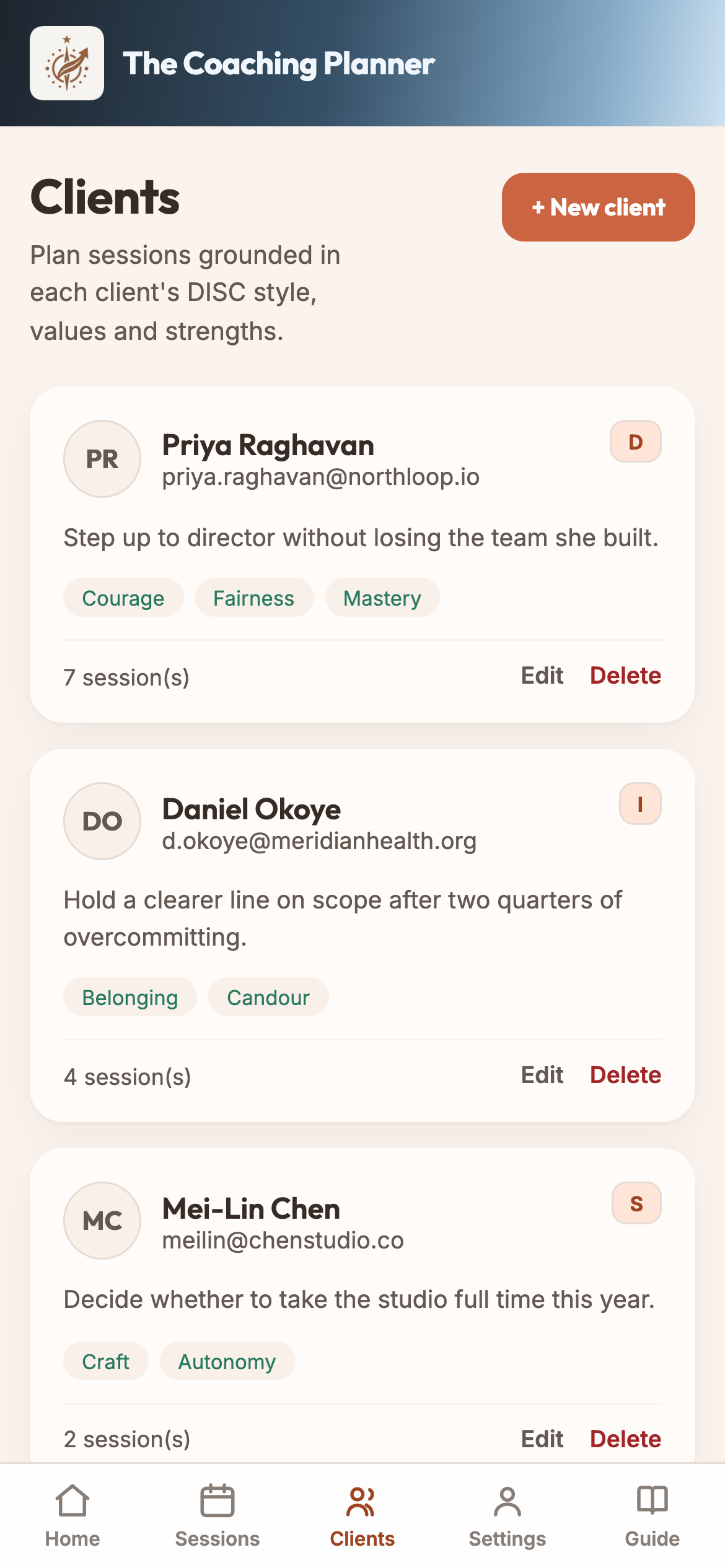
Client list with sessions and hours
How it works

Four steps, in the order you already work.

STEP 01
Onboard the client
Add the client, send the agreement to sign and the intake to answer, and build the profile — DISC style, values, strengths, goals.
STEP 02
Plan it
Open the client, see where you left off, and write the plan for the next conversation.
STEP 03
Run it, then write it up
Notes, outcomes and the hour go in together. That completed session becomes a line in your log.
STEP 04
Hear it back
Upload the recording. Get a marker-by-marker read on the session, and one thing to try next time.
What it does

The whole practice, not just the calendar.

Session evaluation against the ICF markers

Upload a recording and the session comes back transcribed and scored, competency by competency. Talk-time, silences, where you partnered and where you advised — with the lines that earned each score.

Nobody sits in on your sessions any more. This is the second opinion you stopped getting after certification.

Scored against the ICF’s published markers as a practice estimate. It does not predict an assessment result, and we are not affiliated with the ICF.
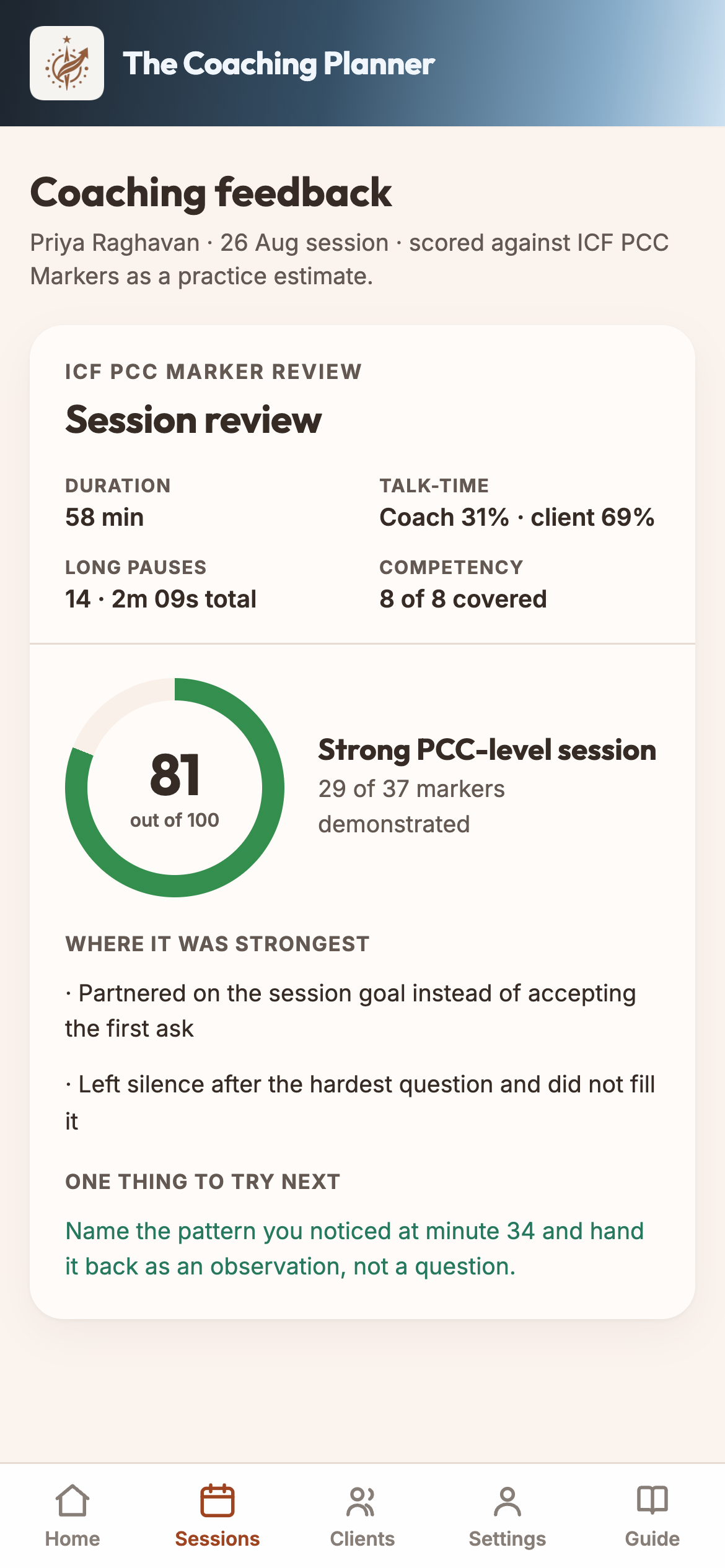
Session scored against the ICF markers

Plans and notes that stay with the client

One place for the goal, the plan, what happened, and what the client committed to. Open session six and session one is still there.

Every completed session becomes a log line — client, date, hours, paid or pro bono — exportable as a CSV whenever you need it.
Hours by clientPaid vs pro bonoCSV for your application
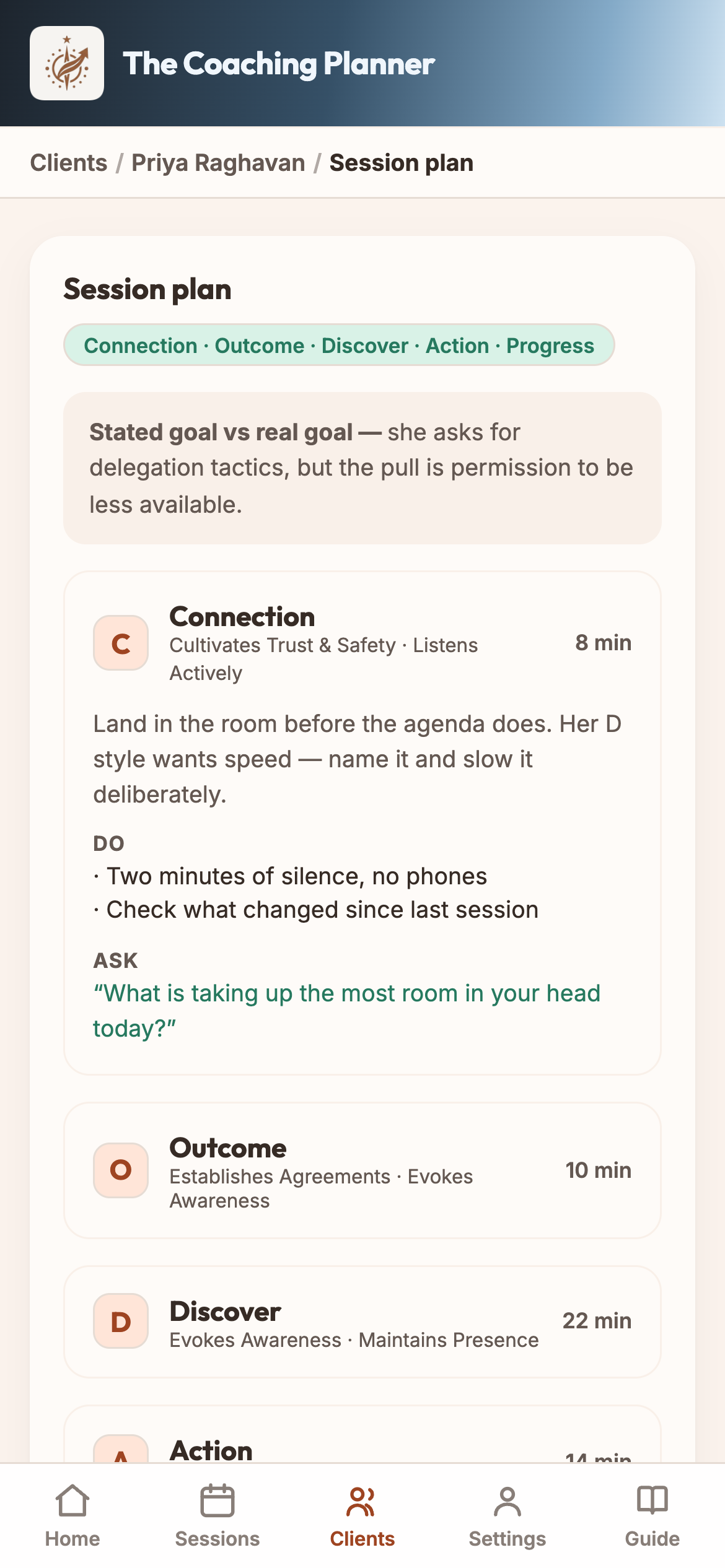
Session plan for an upcoming conversation

Agreements and client profiling, without leaving the app

Send an agreement your client signs in a browser — standard ICF-based wording, every clause editable, the signed copy filed against the client. You get an email the moment they sign.

Intake goes out the same way, and the answers land straight in the client’s profile: DISC style, values, strengths, goals. You open session one already knowing what they came for.

On the paid plans you can add your own questions too, and choose which of them each client is asked — the profiling questions stay as they are, so the DISC result is still the DISC result.
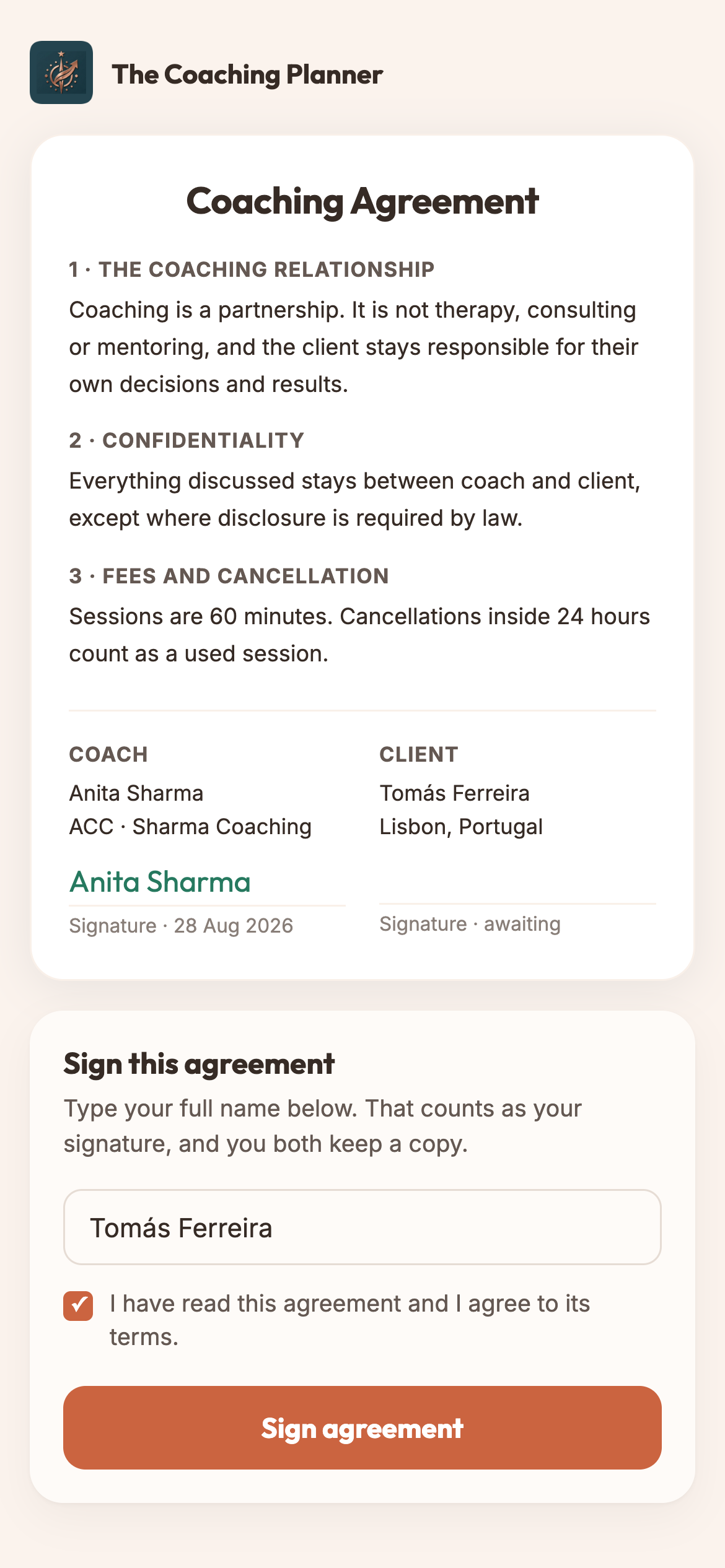
No separate e-signature toolNo survey forms to buildSigned copy filed automatically
Client agreement signed in the browser
Working toward ACC or PCC

The hours are the easy part to lose

Keep them as you go instead of reconstructing them from a calendar. See the marker gaps while there is still time to close them.

Already credentialed

Coaching alone, without a mirror

You remember the session as a good one. The transcript remembers it line by line. Run a recording through and find out which of you is right.

Before you sign up

The questions coaches ask first.

Does my client have to install anything?
No. You send a link. The client opens the agreement or the intake questionnaire in their browser, on a phone or a laptop, and answers there. No account, no app, no download.
Do I get notified when the agreement is signed?
Yes. The moment your client submits, you get an email — who signed, and on what date — with replies going straight to your client. In the app the agreement’s status moves from Draft to Sent to Signed, the record shows “Signed by …”, and the signed copy is locked.
What kind of recordings can I upload?
Video or audio from any of the usual tools: .mp4, .m4a, .mov, .webm, .mp3, .wav, .aac, .ogg, up to 150 minutes. You can also paste a direct link to the recording, or upload a transcript (.txt or .vtt) exported from Zoom or Google Meet if you would rather not upload media at all.
What happens to my recording, and who can hear it?
The audio is sent for transcription and kept by nobody. It is discarded after upload, neither the recording nor the transcript is stored, and only a minute count is retained so usage can be metered.
Is my client data private?
Your client records are yours. We do not sell personal data, do not use it for advertising, and do not profile anyone for automated decisions. When you generate a session plan, that plan’s prompt — which can include a client’s first name, session focus and your notes — goes to the AI provider. Delete your account and your profile, clients, sessions, plans, agreements and questionnaires are deleted immediately; backups roll off within 30 days.
Is this affiliated with the ICF?
No. The Coaching Planner is not affiliated with or endorsed by the International Coaching Federation. The competency and marker language is ICF’s published wording; the software is ours.
Does the score predict an ICF assessment result?
No. A session is scored against the published markers as a practice estimate. It tells you how this session read; it does not tell you how an assessor would mark it.
Can I export everything if I leave?
Yes. The coaching log exports as a CSV, and you can request a copy of your data. Export what you need before you delete the account — deletion is immediate.
Does it work on phone and desktop?
Both. It runs in any browser on a laptop and installs to a phone home screen. The screenshots on this page are the phone.

Start with the next session you have booked.

Make an account, add the client, plan the hour. Everything else builds from there.

Create your account